

check

check

check

check

check

check
check
check
check
check
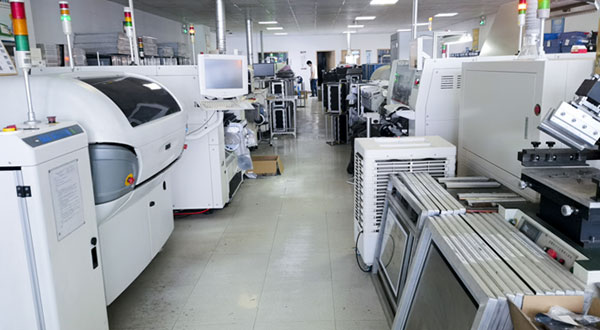
On the assembly shop floor, requests for material replenishment, anomaly assistance, and task confirmation are scattered across multiple workstations. Relying on verbal notifications or personnel walking back and forth increases wait times—and whenever workstation layouts are reconfigured, existing push-button wiring often has to be rerouted.
Taking assembly line material call systems as an example, KJT Wireless Push-Button Switches and matching receivers can be integrated with a PLC and display terminals to establish a centralized workstation call-and-confirmation system. This brings shop-floor requests into clear, centralized view for rapid personnel dispatch and response.

KJT Wireless Push-Button Switches are available in flush-head, extended-head, and dual-button configurations—including models such as the KJT-WB-011 Flush Push Button and KJT-WB-002 Extended Push Button—paired with receivers supporting multi-channel relay outputs.
Buttons are installed at ergonomic, easily accessible locations at each workstation and assigned specific functions (such as "Material Call" or "Task Completed"), with receiver channels mapped accordingly by station and function.
| Solution Stage | Recommended Configuration | Core Function |
| Workstation Operation | KJT Wireless Push-Button Switches | Allows operators to trigger call requests or completion confirmations. |
| Signal Reception | Matching Wireless Receiver | Converts received wireless signals into relay outputs. |
| Centralized Alerting | PLC, Display Terminal, or Indicator Tower | Displays station-specific requests and manages response status. |
Wireless transmission eliminates the need to run signal cables between push buttons and the receiving unit, while power supply and control-side wiring for the receiver are configured according to system requirements.
The call-and-response workflow operates in the following sequence:
Workstation Call → Receiver Output → Centralized Alert → On-Site Handling → Completion Confirmation
When an operator identifies a material shortage, they press the call button. Based on pre-configured station mapping, the PLC displays the request on a central monitor or visual alert device and maintains an "Open / Pending" status.
Once materials are delivered and verified, the request is closed by pressing the completion button or updating the terminal. Depending on management needs, the host software can also log call timestamps and resolution times to analyze response efficiency and workstation wait times. In this architecture, the switches transmit operator signals, while status visualization, event logging, and workflow logic are handled by the host control system.
Before deployment, verify communication compatibility between switches and receivers, power supply specifications, channel assignments, and output interfaces, while positioning receivers optimally relative to workstation layout.
During commissioning—with surrounding machinery running under normal operating conditions—test signal reception and state handling against metal obstructions, simultaneous multi-station triggers, and power-loss recovery. Whenever workstations are relocated, communication reliability should be re-verified, and manual backup communication protocols should remain in place if a call signal is not confirmed.
Initiate requests right at the workstation, and keep every response visible on the terminal.
Provide your workstation layout, call categories, and existing control system details, and KJT will assist in matching the optimal wireless switch and receiver configuration—delivering a more flexible operator interface for line upgrades and workstation collaboration.