check

check

check

check

check

check
In the world of DIY electronics and robotics, achieving precise and reliable movement is often the cornerstone of a successful project. When combining a stepper motor with an Arduino, you gain the ability to control rotation with exceptional accuracy. However, to make this system truly robust and prevent potential damage from over-travel, integrating a limit switch is a crucial step. This guide will walk you through the practical steps of connecting and programming a limit switch with a stepper motor using an Arduino, ensuring your creations operate within safe and defined boundaries.
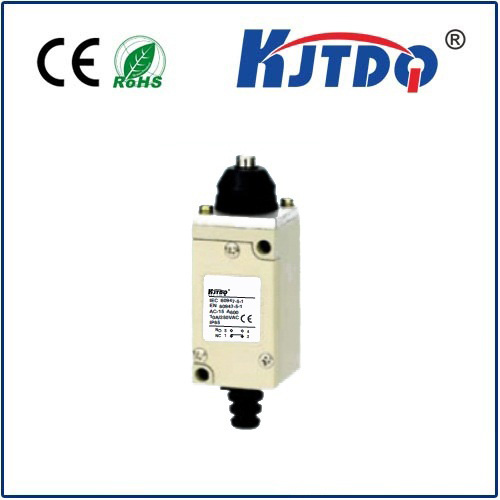
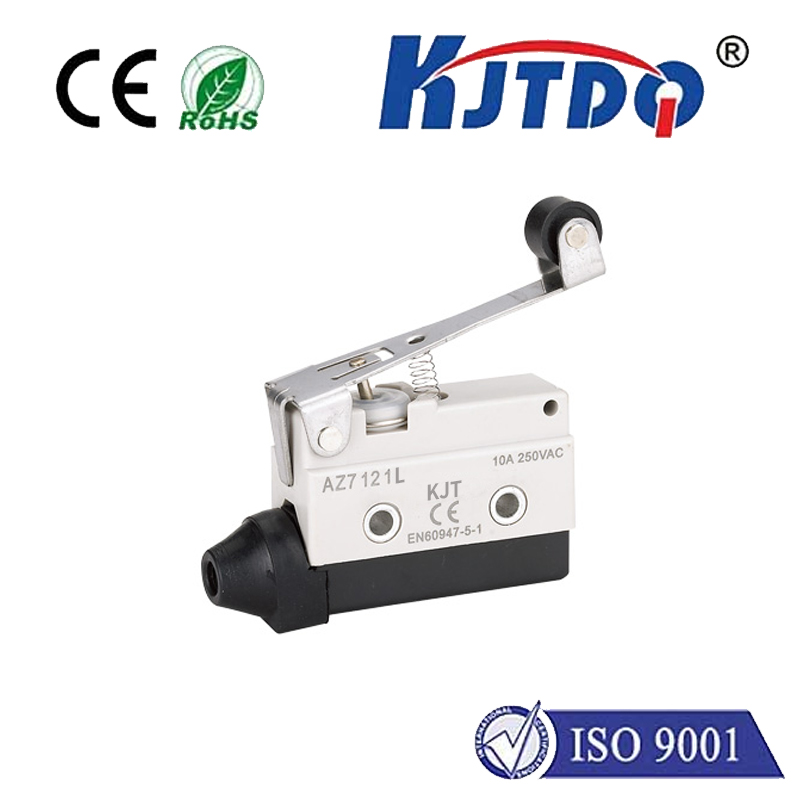
A stepper motor moves in discrete steps, allowing for precise angular positioning. An Arduino, such as the popular Uno, can control this movement by sending pulses to a driver module like the A4988 or DRV8825. While this setup allows the motor to move to a programmed position, it lacks a physical reference point. This is where the limit switch comes in. A limit switch is a simple electromechanical device that acts as a sensor. When an actuator or moving part presses against it, the switch's state changes from open to closed (or vice-versa), sending a signal to the microcontroller. In our context, it defines a "home" or "end" position, allowing the Arduino to halt the motor immediately upon contact, thus preventing mechanical strain or failure.
The hardware setup is straightforward. You will need your Arduino board, a stepper motor, a compatible driver, a limit switch (normally open type is common), jumper wires, and a suitable power supply for the motor. First, connect the stepper motor to the driver module and the driver to the Arduino. The driver's STEP and DIR pins connect to digital pins on the Arduino, while ENABLE can be used to turn the motor on or off. For the limit switch, one terminal connects to a digital input pin on the Arduino (e.g., pin 2), and the other terminal connects to the Arduino's ground. Don't forget to enable the internal pull-up resistor for that input pin in your code, which will keep the pin in a HIGH state until the switch is pressed and pulls it to LOW.
The real magic happens in the Arduino sketch. The core logic involves moving the motor while constantly checking the state of the limit switch pin. A typical homing routine would work as follows: the motor begins moving slowly in one direction. The program continuously monitors the digital pin connected to the switch. As long as the pin reads HIGH (switch not pressed), the motor continues to step. The moment the pin reads LOW (switch pressed), the program immediately stops sending step pulses. You can then record this position as "zero" or "home." From this known reference point, you can now command the motor to move any number of steps confidently, knowing it can always return to this absolute starting position. This eliminates cumulative positional errors that can occur in open-loop stepper systems over time.
Implementing this correctly requires careful coding. Use a non-blocking approach, such as checking the switch state within the mainloop() usingdigitalRead(), rather than usingdelay() between steps, which would make the system unresponsive. You can use a library like theAccelStepper library for smoother acceleration and deceleration control, integrating the limit switch check within itsrun() function. For example, you could create a function calledgoHome() that runs the motor until the limit switch is triggered, then stops and sets the current position to zero usingstepper.setCurrentPosition(0);. This makes subsequent movements relative to this safe home point.
Beyond simple homing, using two limit switches—one for each end of travel—can define a complete safe zone for a linear actuator or a gantry system. The programming logic expands slightly to check both switches and stop movement in the appropriate direction if either is activated. This is essential for CNC machines, 3D printers, or automated curtains, where physical limits are fixed. Always ensure your mechanical setup allows the switch to be activated before the motor reaches its physical end-stop to avoid jamming. Debouncing the switch in software, by adding a short delay after the first detection, can also prevent false triggers from contact vibration.
In conclusion, marrying a limit switch with a stepper motor on an Arduino platform transforms a good project into a professional and reliable one. It adds a layer of safety, repeatability, and precision that pure open-loop control cannot offer. By following the hardware connections and programming principles outlined above, you can effectively create systems that find their own reference points and operate within safe physical limits. This foundational skill opens doors to more advanced automation projects, where knowing where you start is just as important as knowing where you're going.