check

check

check

check

check

check
Optical limit switches provide precise, non-contact position detection for Arduino projects, offering significant advantages over mechanical switches in many applications. These devices use infrared or visible light beams to detect objects, making them ideal for environments requiring cleanliness, high-speed operation, or repeated accuracy. Integrating an optical limit switch with an Arduino microcontroller opens up possibilities for automated systems, robotics, and industrial controls.
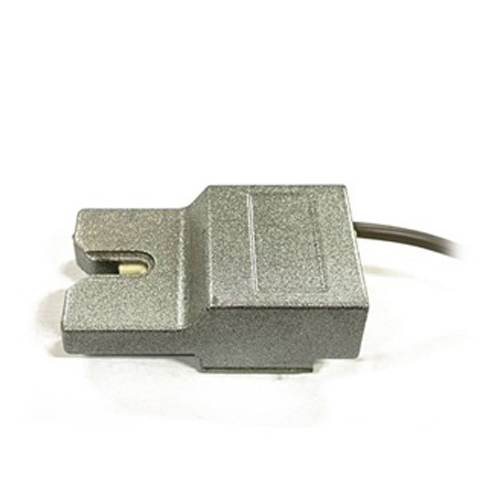
An optical limit switch typically consists of two main components: a transmitter (emitter) and a receiver. The transmitter emits a constant beam of light, often infrared to avoid ambient light interference. The receiver detects this beam. When an object passes between the two components, it interrupts the light beam. The receiver's output state changes, signaling the Arduino that an object or limit has been detected. This principle is far more reliable than mechanical contact, which suffers from wear, bounce, and physical resistance.
Connecting a standard digital optical limit switch to an Arduino is straightforward. Most modules have three pins: VCC, GND, and OUT. The VCC pin connects to the Arduino's 5V pin, GND to any ground pin, and the OUT pin to a digital input pin, such as pin 2. It's crucial to check the module's logic; some are active-low (output LOW when beam is broken) and others are active-high. A simple pull-up or pull-down resistor might be needed depending on the module's design. Always refer to the specific datasheet.
For basic object detection, the Arduino code is simple. After defining the input pin, thedigitalRead() function continuously checks the pin's state. A state change triggers an action, like stopping a motor or incrementing a counter. Debouncing, a common issue with mechanical switches, is rarely needed with optical switches, as the beam interruption is typically clean and instantaneous. This results in more responsive and accurate control loops.
A common application is in CNC machines or 3D printers for homing sequences. The optical switch is placed at a known "home" position. When the moving part interrupts the beam, the Arduino records that position as zero reference. This ensures repeatable accuracy every time the machine starts. Compared to mechanical endstops, optical switches eliminate physical pressure on the moving parts, reducing wear and allowing for finer adjustments.
Another advanced use is in speed sensing or object counting on a conveyor belt. By placing the switch across the path, each passing object breaks the beam. The Arduino can count these interruptions over time to calculate speed or total count. The non-contact nature means no slowdown or damage to the objects, making it perfect for packaging or sorting systems.
When selecting an optical limit switch for Arduino, consider key parameters. The sensing distance, response time, and light source type (infrared vs. red light) are critical. For dusty or dirty environments, look for switches with higher ingress protection (IP) ratings. Also, consider the output type: NPN or PNP transistor outputs are common for industrial modules, while simpler modules offer direct TTL-level outputs compatible with Arduino's 5V logic.
Troubleshooting often involves checking the alignment of the emitter and receiver. Even a slight misalignment can cause failure. Using a modulated infrared signal helps combat interference from ambient light. If the switch behaves erratically, shield it from bright light sources or electrical noise from motors. Always ensure a stable power supply, as voltage fluctuations can affect sensitivity.
Integrating multiple optical switches creates complex safety interlocks or multi-stage positioning systems. With Arduino's multiple digital inputs, you can monitor several limits simultaneously. For instance, a robotic arm could use one switch for "fully retracted" and another for "fully extended," with the Arduino preventing movement beyond these safe limits, enhancing system safety and durability.
The future of optical sensing with microcontrollers like Arduino is bright. Developments include miniaturized switches, longer sensing ranges, and integrated smart sensors with I2C or SPI communication, reducing wiring complexity. By mastering optical limit switches now, makers and engineers build a foundation for more sophisticated automation and Internet of Things (IoT) projects, where precise, reliable sensing is paramount.