check

check

check

check

check

check
For any Elegoo Mars 2 Pro user, the smooth operation of the 3D printer hinges on a series of precise mechanical and electronic components working in harmony. Among these, the limit switch plays a crucial, though often overlooked, role. This small device is fundamental to the printer's ability to calibrate itself correctly at the start of every print job, ensuring the build plate finds its true "home" or zero position on the Z-axis. Understanding its function, recognizing signs of failure, and knowing how to address common issues can save you from significant print failures and potential damage to your machine.
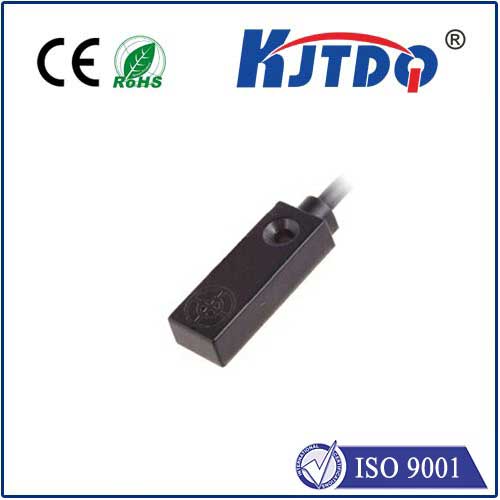
The limit switch on the Elegoo Mars 2 Pro is a simple electromechanical sensor, typically located near the bottom of the Z-axis lead screw assembly. Its primary purpose is to act as an end-stop. When the build plate descends during the auto-homing sequence, it eventually makes contact with a small metal arm on the switch. This physical contact triggers the switch to send a signal to the printer's mainboard, telling it, "Stop, this is the zero point." This establishes the foundational reference point from which all subsequent layer heights are calculated. Without this accurate reference, the printer would have no way of knowing where the build plate is relative to the LCD screen, leading to prints that are either squished into the FEP film or too high to adhere properly.
A properly functioning limit switch is silent and reliable. However, when problems arise, they manifest in clear, consistent symptoms. The most common sign of a limit switch issue is a failure during the auto-homing process. The build plate may descend but not stop, causing a grinding noise as the motor continues to try and push it down. Conversely, it might stop prematurely, too high above the LCD screen. This often results in error messages on the printer's display related to homing or leveling. Failed prints are another major indicator; if your first layer consistently fails to adhere or the print starts several millimeters in the air, an inaccurate zero point set by a faulty switch is a likely culprit.
Several factors can lead to limit switch malfunctions. The most frequent cause is physical obstruction. Resin drips, cured bits of resin, or general dust and debris can prevent the switch's arm from moving freely or block the build plate from making full contact. Mechanical wear is another possibility. After thousands of homing cycles, the small metal arm can become bent or the internal micro-switch can wear out, leading to inconsistent triggering. Loose connections are also a common culprit. The wires connecting the switch to the mainboard can become disconnected or frayed over time due to the constant vibration and movement of the Z-axis.
Troubleshooting a suspected limit switch problem follows a logical, step-by-step approach. Always begin by powering off and unplugging your Elegoo Mars 2 Pro for safety.
1. Visual and Physical Inspection: Carefully examine the switch and the area around it. Look for any visible resin spills, debris, or physical damage to the switch housing or its actuator arm. Gently press the arm with a tool to feel for a crisp "click." It should move smoothly and spring back immediately.
2. Clean Thoroughly: Use a soft brush and isopropyl alcohol to clean the switch mechanism, removing any resin or dust. Ensure the path of the build plate's contact point is also clean.
3. Check Connections: Trace the thin wires from the switch to the mainboard connector (usually labeled Z-limit or similar). Ensure the connector is firmly seated. Inspect the wires for any signs of pinching or breakage.
4. Manual Testing: You can perform a basic electrical test using a multimeter set to continuity mode. Disconnect the switch from the mainboard. Place the probes on the two terminals and press the actuator arm. The meter should beep (show continuity) when the arm is pressed and show an open circuit when released.
5. Replacement: If cleaning and connection checks fail, and the switch shows no continuity when pressed, replacement is necessary. Elegoo sells official spare parts, and compatible switches are widely available online. The replacement process typically involves unscrewing the old switch, disconnecting its wires, and installing the new one in reverse order. Ensure the new switch is positioned exactly as the old one was.
Preventive maintenance is the best strategy. Regularly include the area around the Z-axis and the limit switch in your printer cleaning routine. Be cautious when removing prints or handling the build plate to avoid physically impacting the switch. During resin vat cleaning or maintenance, placing a cloth or paper towel beneath the switch can catch accidental drips before they cause a problem.
While the limit switch is a humble component, its role in the printing process is absolutely vital. By understanding its function and maintaining it proactively, you ensure your Elegoo Mars 2 Pro starts every print from a perfect zero point. This simple awareness translates directly into higher success rates, consistent print quality, and a longer, more reliable service life for your valuable 3D printing investment. Keeping this small sensor in good working order is a key part of mastering resin printing and achieving predictable, professional results.