ตรวจสอบ
ตรวจสอบ

ตรวจสอบ
ตรวจสอบ

ตรวจสอบ
ตรวจสอบ
ตรวจสอบ
ตรวจสอบ
ตรวจสอบ
ตรวจสอบ
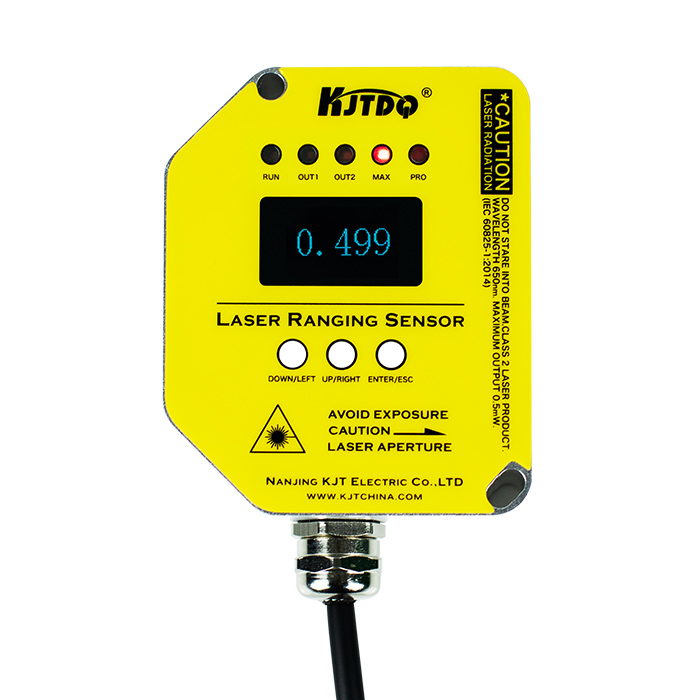
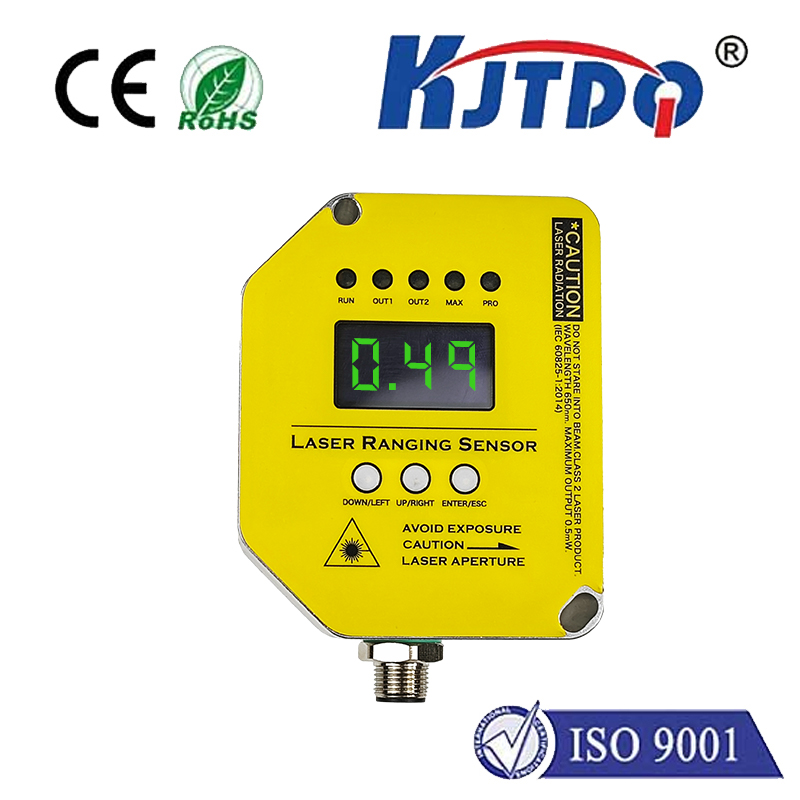
เลเซอร์ เซ็นเซอร์ระยะs are widely used in many การประยุกต์ใช้งานs due to their ability to accuraโทรศัพท์y measure distances. The folต่ำing are some specific การประยุกต์ใช้งานs of เลเซอร์ เซ็นเซอร์ระยะs:
· อัตโนมัติอุตสาหกรรม: เลเซอร์ เซ็นเซอร์ระยะs can be used to measure the position, ระยะทางและความสูงของวัตถุ, และใช้ในหุ่นยนต์, automated ผลิตภัณฑ์ion lines and warehousing systems.
· การสำรวจและการก่อสร้างในร่ม: เลเซอร์ เซ็นเซอร์ระยะs can be used for indoor surveying, การวางแผนสถาปัตยกรรมและการออกแบบ, creating indoor floor plans and architectural models by quickly and accuraโทรศัพท์y measuแหวน distances and dimensions.
· เทคโนโลยีขับรถไม่มีบุคคล: เลเซอร์ เซ็นเซอร์ระยะs can be used for obstacle detection and avoidance in เทคโนโลยีขับรถไม่มีบุคคล. Safe driving can be achieved by measuแหวน the distance and direction of surrounding objects to the vehicle.
Security monitoแหวน and protection: เลเซอร์ เซ็นเซอร์ระยะs can be used to monitor the perimeter boundaries of อาคารs, factories or other facilities and trigger alarms or protective measures to protect the ความปลอดภัย of people and property.
· การบินอวกาศ: เลเซอร์ เซ็นเซอร์ระยะs are widely used in the การบินอวกาศ field for aircraft navigation, การยอมรับเป้าหมายและการหลีกเลี่ยงอุปสรรค.
The above are the main การประยุกต์ใช้งาน fields of เลเซอร์ เซ็นเซอร์ระยะs. The actual การประยุกต์ใช้งานs of เลเซอร์ เซ็นเซอร์ระยะs are diverse and very wide, coveแหวน almost every industrial and scientific field!
There are four คอมmon การประยุกต์ใช้งาน scenarios for Kejit เลเซอร์ เซ็นเซอร์ระยะs: ระบบเตือนเกินขีดจำกัด, ระบบป้องกันการชนกัน, ระบบฉีดน้ำ, และระบบระบบระบายน้ำ.
1. ระบบเตือนเกินขีดจำกัด
Set the alต่ำable distance range. ถ้าระยะไม่อยู่ในช่วงนี้, เอาท์พุตรีเลย์. มักจะใช้สำหรับการเปลี่ยนแปลงเตือนเกินขีด จำกัด.
ตัวอย่างเช่น, if the เซนเซอร์เลเซอร์ is fixed on a moving object, the alต่ำed movement distance of the object is 2 เมตร to 5 เมตร. ถ้ามันเกินช่วงนี้, สัญญาณเตือนภัย (เช่นฮอร์น, บัสเซอร์, ฯลฯ.) จะถูกผลิต.
At this เวลา, you can set the folต่ำing settings:
พารามิเตอร์ | set value | ข้อความ |
การกระทํา actionactMd | mod1 | |
จำกัดด้านล่าง | 2 | limit1或limit3 |
จำกัดด้านบน | 5 | limit2或limit4 |
2. ระบบป้องกันการชนกัน
ตั้งค่าขั้นต่ำของระยะทาง. ถ้าระยะที่วัดน้อยกว่าค่านี้, เอาท์พุตรีเลย์ and performs the specified operation.
ตัวอย่างเช่น, if the เซนเซอร์เลเซอร์ is fixed on a moving object, ระยะที่ใกล้ที่สุดระหว่างวัตถุและวัตถุอื่น 5 เมตร. ต่ำกว่าระยะนี้, a relay signal needs to be given to ก่อนหน้าent the two objects from colliding.
At this เวลา, you can set the folต่ำing settings:
พารามิเตอร์ | set value | ข้อความ |
การกระทํา actionactMd | Mod2 | |
จำกัดด้านล่าง | 0 | limit1或limit3 |
จำกัดด้านบน | 5 | limit2或limit4 |
3. ระบบฉีดน้ำ
Used to add water to the pool and keep the water volume in the pool not ต่ำer than the minimum water ระดับ. Aim the เซนเซอร์เลเซอร์ vertically at the water surface from top to bottom, and measure the distance from the เซนเซอร์ to the water surface. ตัวอย่างเช่น, install the เซนเซอร์ more than 5 เมตรเหนือพื้นผิวน้ำ.
Assume that water is injected when the distance between the water surface and the เซนเซอร์ exceeds 5 เมตร, และการฉีดน้ำจะหยุดจนกว่าพื้นผิวน้ำจะเพิ่มขึ้นเป็นน้อยกว่า 2 เมตรจากเซนเซอร์. เมื่อพื้นผิวน้ำลดลงอีกครั้งไปยังระยะทางมากกว่า 5 เมตรจากเซนเซอร์, การฉีดน้ำเริ่มต้นอีกครั้ง.
At this เวลา, you can set the folต่ำing settings:
พารามิเตอร์ | set value | ข้อความ |
การกระทํา actionactMd | Mod3 | |
จำกัดด้านล่าง | 2 | limit1或limit3 |
จำกัดด้านบน | 5 | limit2或limit4 |
4. ระบบระบบระบายน้ำ
Measure the distance from the เซนเซอร์ to the water surface. ตัวอย่างเช่น, install the เซนเซอร์ more than 5 เมตรเหนือพื้นผิวน้ำ.
สมมุติว่าเมื่อพื้นผิวน้ำน้อยกว่า 2 เมตรจากเซนเซอร์, น้ำจะระบายน้ำจนกว่าพื้นผิวน้ำจะลดลง 5 เมตร away from the เซนเซอร์. When the water ระดับ rises again and is less than 2 เมตร away from the เซนเซอร์, การระบายน้ำเริ่มต้นอีกครั้ง.
At this เวลา, you can set the folต่ำing settings:
พารามิเตอร์ | set value | ข้อความ |
การกระทํา actionactMd | Mod4 | |
จำกัดด้านล่าง | 2 | limit1或limit3 |
จำกัดด้านบน | 5 | limit2或limit4 |