check

check

check

check

check

check
In the world of 3D printing, precision and reliability are paramount. A critical yet often overlooked component that ensures these qualities in MakerBot printers is the limit switch. Understanding the MakerBot limit switch schematic is essential for anyone looking to perform maintenance, troubleshoot issues, or simply gain a deeper appreciation for their machine's inner workings. This guide delves into the function, common problems, and schematic interpretation of this vital part.
A limit switch is a fundamental electromechanical device used to detect the presence or absence of an object, or to determine when a moving part has reached its designated endpoint. In a MakerBot 3D printer, limit switches are strategically placed on the X, Y, and Z axes. Their primary function is to establish a known reference point, called "home," for the print head and the build plate at the start of every print job. When the printer is homed, each axis moves until the corresponding carriage or build plate triggers its limit switch. This action sends a signal to the printer's main control board, telling it to stop movement in that direction. This precise calibration is what allows the printer to understand its exact position in three-dimensional space, ensuring that every layer is deposited accurately.
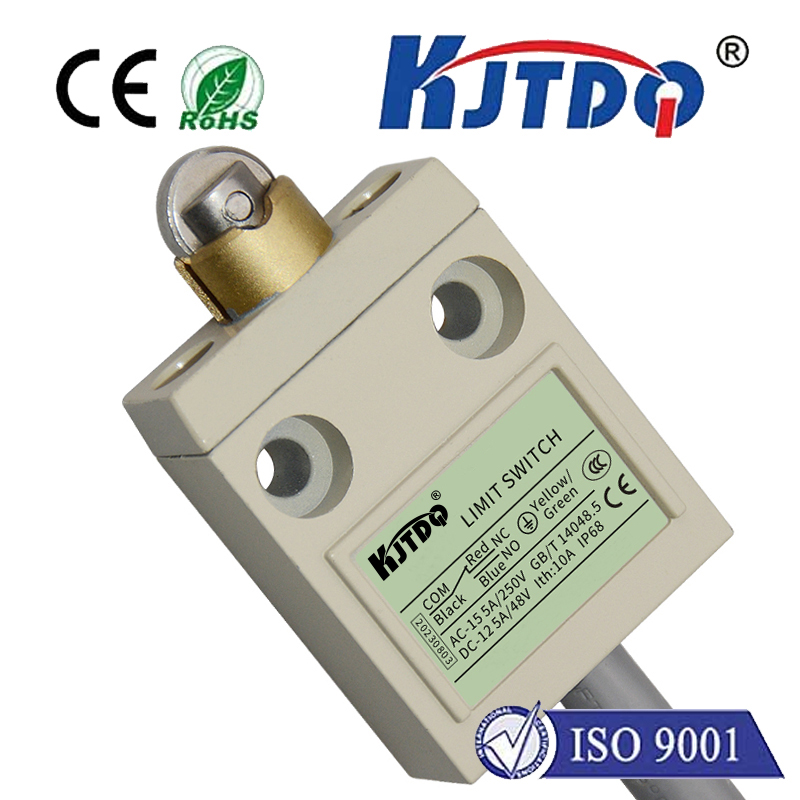
The schematic for a MakerBot limit switch is relatively straightforward, typically involving three connections. Most MakerBot printers use a simple normally open (NO) switch configuration. In its resting state, the circuit is open, meaning no electrical current flows through. When the switch is physically depressed by the moving printer component—for instance, when the X-axis carriage hits the end of its rail—the internal mechanism closes the circuit. This closure creates a connection between the common (COM) terminal and the normally open (NO) terminal, sending a low-voltage signal (often 5V or 3.3V) to the controller. The schematic symbol usually resembles a switch with a hinged actuator. One wire connects to the ground, another carries the signal to the control board, and a third provides a pull-up voltage to ensure a clean, definitive signal transition when the switch is activated.
Several common issues can arise with limit switches, and understanding the schematic helps in diagnosing them. The most frequent problem is mechanical failure due to wear and tear or physical damage from repeated impacts. The small plastic actuator arm can become brittle and break. Another common issue is a poor electrical connection at the switch terminals or where the wires connect to the main board, leading to intermittent or failed homing operations. Dust and debris can also prevent the switch from being fully depressed, causing the printer to "crash" into the end of the axis without triggering the stop signal. Using a multimeter to test for continuity across the switch terminals when depressed is a standard diagnostic step directly informed by the schematic logic.
For users experiencing homing errors, a systematic approach is best. First, visually inspect the switch for obvious damage or obstruction. Listen for a distinct "click" when manually pressing the switch actuator. Next, check the wiring harness for any pinches, cuts, or loose connections at both the switch and board ends. If the hardware seems intact, the next step involves the printer's firmware interface. Some errors may be related to incorrect firmware settings or a need to recalibrate the endstop positions after a switch replacement. Consulting the specific wiring diagram for your MakerBot model is crucial, as pin assignments on the control board can vary between Replicator, Method, and Sketch series printers.
Replacing a faulty limit switch is a manageable task for most users. After obtaining a compatible replacement switch, power down and unplug the printer. Carefully disconnect the old switch's wiring connector. Unscrew or unclip the old switch from its mounting bracket, install the new one in the exact same position, and reconnect the wires. It is vital to ensure the switch is mounted securely and at the correct height so the moving part can reliably activate it. After replacement, you must home the printer to allow it to rediscover its new reference points. Always double-check connections against your model's schematic to avoid reversing the signal and ground wires, which could cause further issues.
Beyond troubleshooting, a firm grasp of the limit switch schematic empowers users for modifications and upgrades. Enthusiasts might install more durable metal-arm switches or optical endstops for higher precision. When integrating such upgrades, understanding the original schematic is the first step to ensuring compatibility with the printer's voltage levels and logic. It allows for safe adaptation of wiring and, if necessary, configuration changes in open-source firmware forks.
In summary, the MakerBot limit switch is a small component with a massive responsibility for print accuracy and machine safety. Its schematic reveals a simple but effective design. Familiarity with this schematic is not just for repair technicians; it is valuable knowledge for any dedicated MakerBot owner. It demystifies a key part of the homing sequence, provides a clear path for diagnosis, and builds confidence in performing one's own maintenance. By respecting and understanding these tiny sentinels of position, users can ensure their 3D printer continues to operate reliably, layer by perfect layer.